Most of us are familiar with VLC as a free media player. But, do you know that VLC is also a video repair tool? I must say that perhaps the best software to repair your broken AVI video file is none other than to use the best video player in the market – VLC Media Player. VLC comes with a built-in feature that recovers broken AVI files, as well as MP4 and MOV files. you can configure VLC to automatically fix damaged AVI and MP4 files easily. Below is the detailed guide on how to automatically fix corrupt, broken, incomplete AVI files with VLC .
Part 1: How to Automatically Fix MP4/AVI Files with VLC
Kauj Ruam 1. Download and install free VLC Media Player on your computer.
Kauj Ruam 2. Open your video file with VLC. There’s a chance it will just start playing; VLC can sometimes play video files other applications claim are damaged. If it doesn’t, you will see a pop-up window informing you the file is damaged.
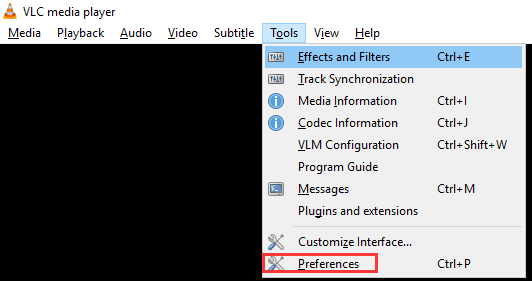
Kauj Ruam 3. If your MP4 or AVI file is damaged, click “Tools > “Preference” on VLC.
Kauj Ruam 4. Go to the “Input & Codecs” section. Next to “Damaged or incomplete AVI file”, select “Always fix”. Then, click on “Save”.
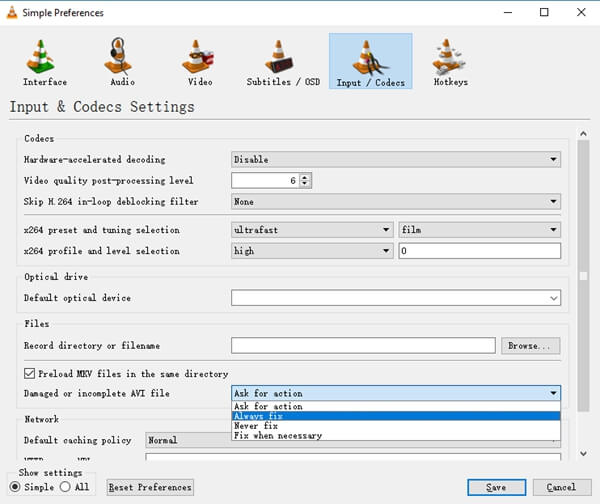
Kauj Ruam 5. Now you can load all AVI files and they will all work even when they are damaged, incomplete or corrupt, VLC media player will automatically fix them for you.
Part 2: VLC Video Alternative – Stellar Phoenix Video Repair
What if VLC failed to repair your videos? What if the video you want to fix is not in AVI or MP4 format? In these cases, you can take Kho Cov Yeeb Yaj Kiab Stellar to have a try. Stellar Phoenix Video Repair supports repair of MP4, MOV, 3GP, M4V, 3G2, and F4V video file formats. It repairs video damaged from various issues like sound corruption, header corruption, movement corruption, duration corruption, and change in format. It can be available both on Windows and Mac. Free download the trial version and have a test.
Kauj Ruam 1. Launch the “Stellar Video Repair” software and click the “Repair Video” button to add the video files to be repaired.
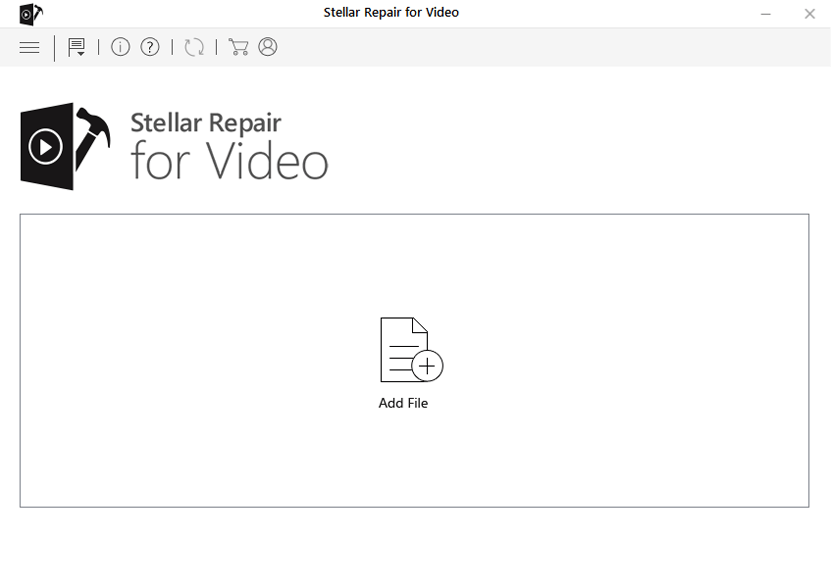
Kauj Ruam 2. Click the “Add” button to selected those videos you need to fix.
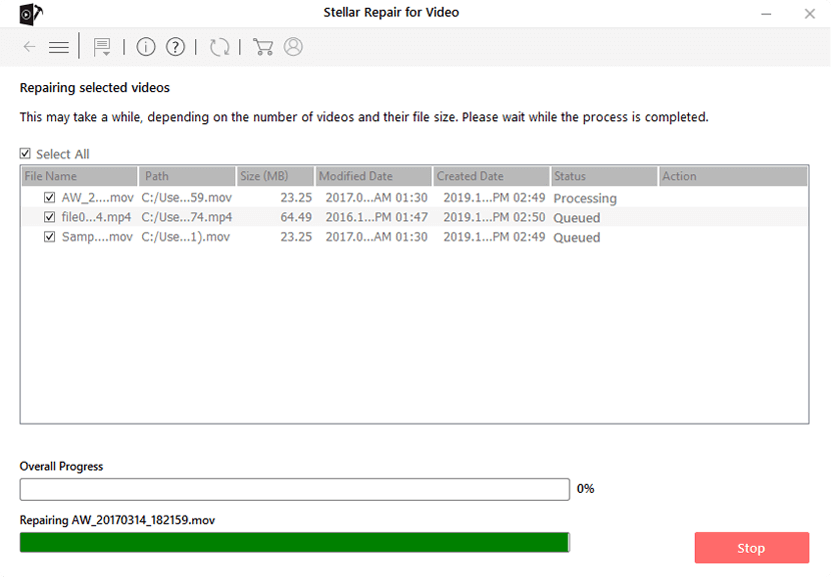
Kauj Ruam 3. Once you have added all the files, select the files and click the “Repair” button on the bottom right of the interface.
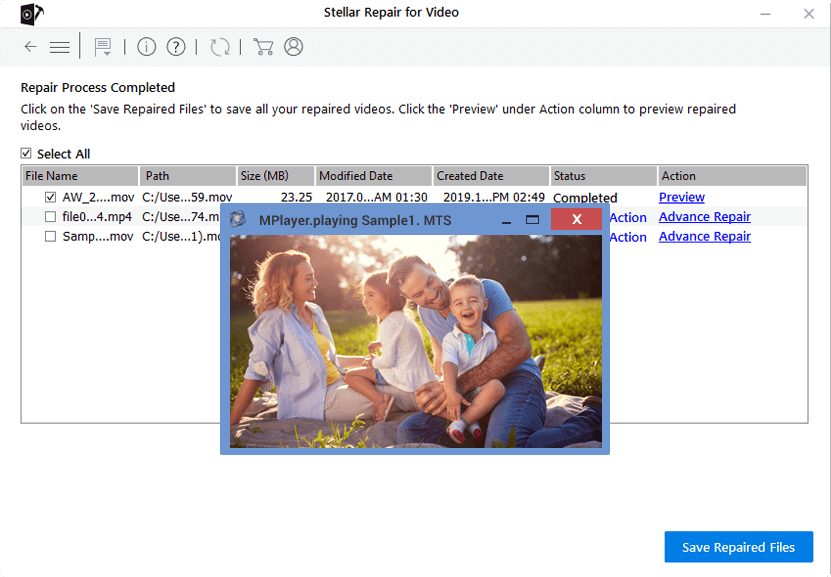
Kauj Ruam 4. When the repair process is complete, you can preview the result. Then, click “Save” to export them to your computer.
Tips & Warnings
video files can be damaged in any number of ways and fixing them is never a sure thing. Many damaged video files simply cannot be repaired. For instance, if the file was incompletely downloaded from the internet (a common reason for the “damaged” message), no program can magically restore the missing data.
Therefore, we’d better learn how to prevent video corruption. Here are some of our suggestions:
- Install anti-virus to protect against virus arrack.
- Avoid recording videos with a drained battery on the gadget.
- Never eject or remove external devices while transferring video files from or to it.
- Try to keep backup of important video files on cloud and ensure safety.
- Use good tool for converting videos and avoid unnecessary editing.
- To escape from codec related issues, it is always good to update your media played frequently.
Tsab ntawv no muaj txiaj ntsig li cas?
Nyem rau ntawm lub hnub qub kom ntsuas nws!
Qhov ntsuas nruab nrab / 5. Cov lej pov npav:

Dawb Online Video Downloader
Nyem ib zaug xwb los rub tawm cov yeeb yaj kiab los ntawm YouTube, Facebook, Instagram, Twitter, Dailymotion, Reddit, Pornhub, OnlyFans, thiab ntau dua 10,000 lub vev xaib tau yooj yim! Dawb thiab muaj kev nyab xeeb!